
Discover the Plugin Bricks Premium skeleton library
Have you ever felt that your Bricks Builder sites look «incomplete» or cluttered while dynamic content finishes loading? First impressions are everything, and waiting for blank spaces or layout jumps can drive visitors away.
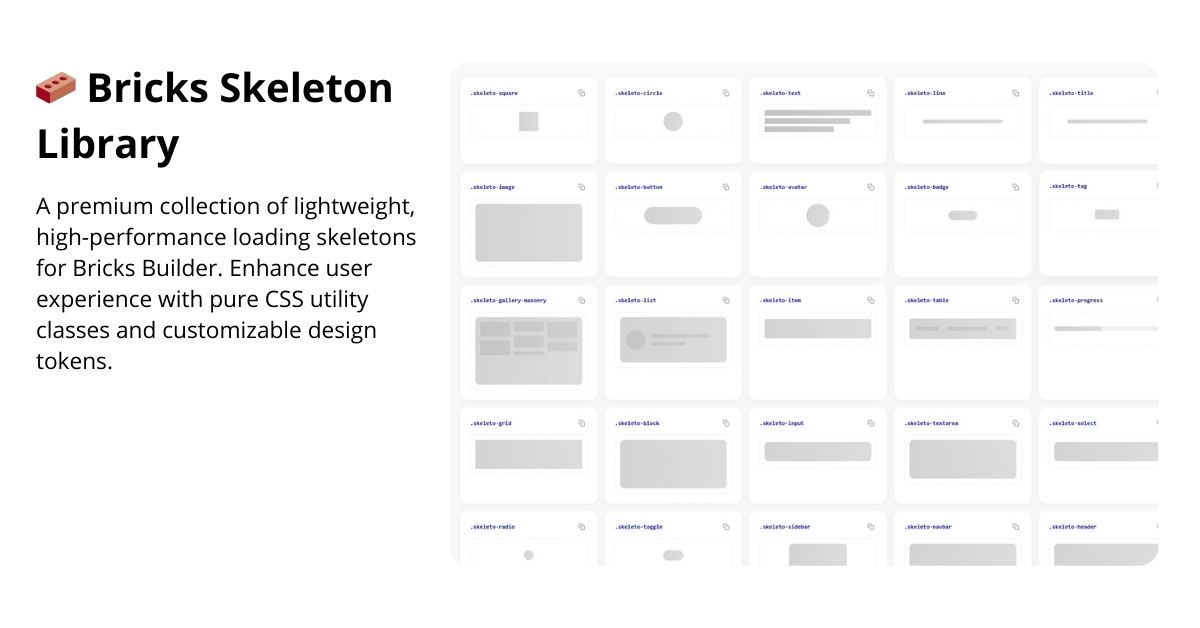
To solve this problem at its root, I present Bricks Skeleton Library, a premium collection of lightweight, high-performance loading skeletons designed specifically for the Bricks Builder ecosystem.
Boost the UX of your Bricks Builder site. A high-performance technical library that generates ultra-lightweight loading skeletons simply by applying CSS classes to your elements.
Why use Bricks Skeleton Library?
This plugin isn’t just a visual layer; it’s an optimization tool designed by Gabriel Ramírez to take the aesthetics and consistency of your projects to the next level.
+10 Classes Available:
Available Skeleton Categories
| Category | Clases Destacadas |
| Basics | .skeleto-image, .skeleto-title, .skeleto-line, .skeleto-text |
| Shapes | .skeleto-circle, .skeleto-square, .skeleto-radio |
| Labels | .skeleto-badge, .skeleto-tag |
| Interactive | .skeleto-button, .skeleto-progress |
| Forms | .skeleto-checkbox, .skeleto-textarea, .skeleto-select |
| By | @esgabrielweb |
To change the load time of each element individually, the script can read a data attribute directly from the HTML.
Here’s how:
- From Bricks Builder
You can add the attribute to any element with the class.skeleto-:
- Select the element in Bricks.
- Go to Settings > Attributes.
- Add a new attribute:
- Name:
data-skeleto-time - Value: The time in milliseconds (e.g., 3000 for 3 seconds, or 500 for half a second).
- Default behavior
If you don’t add the attribute: The default time is 2000ms (2 seconds).
If you add it: The element will ignore the default time and use the value you specify.

